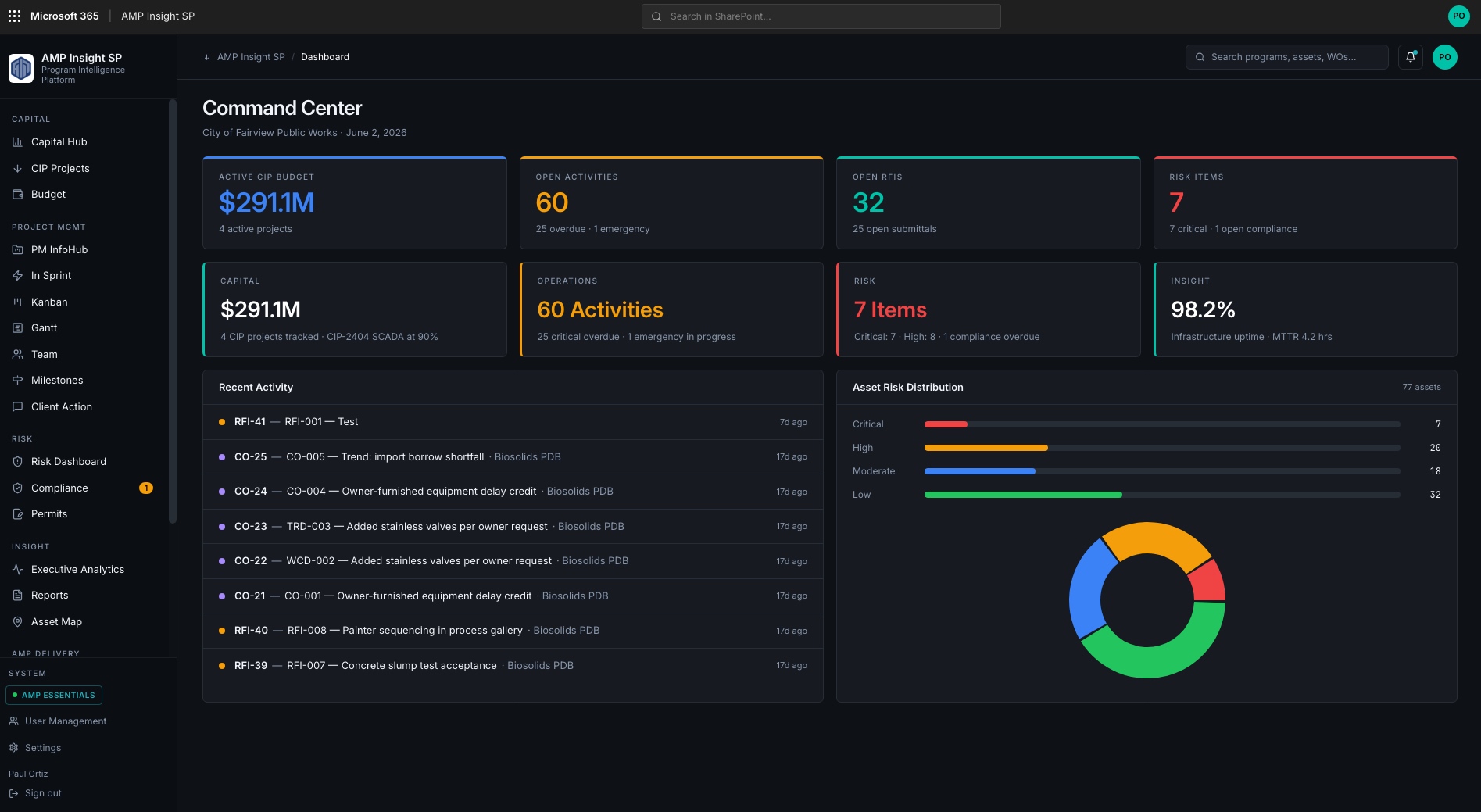
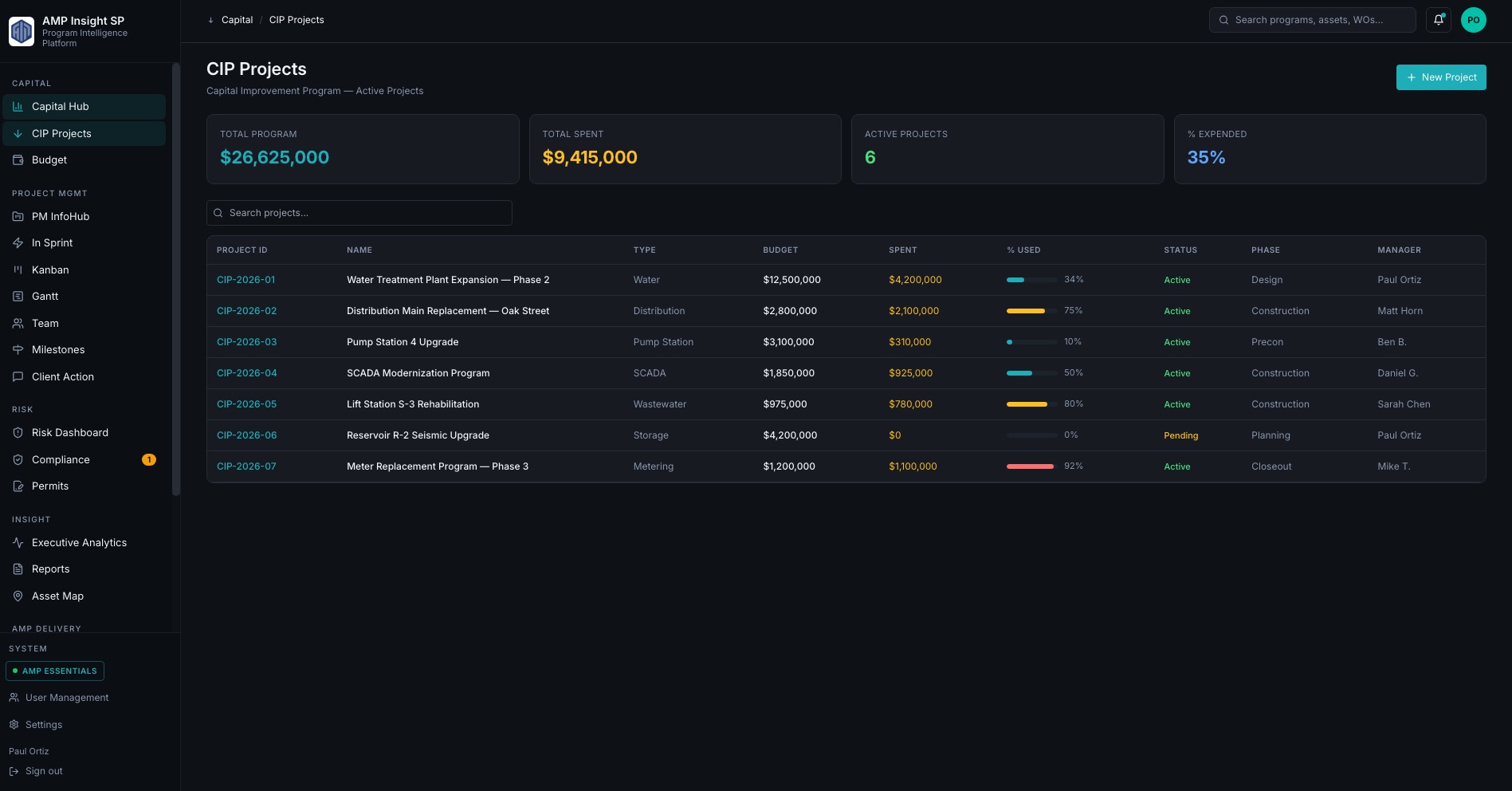
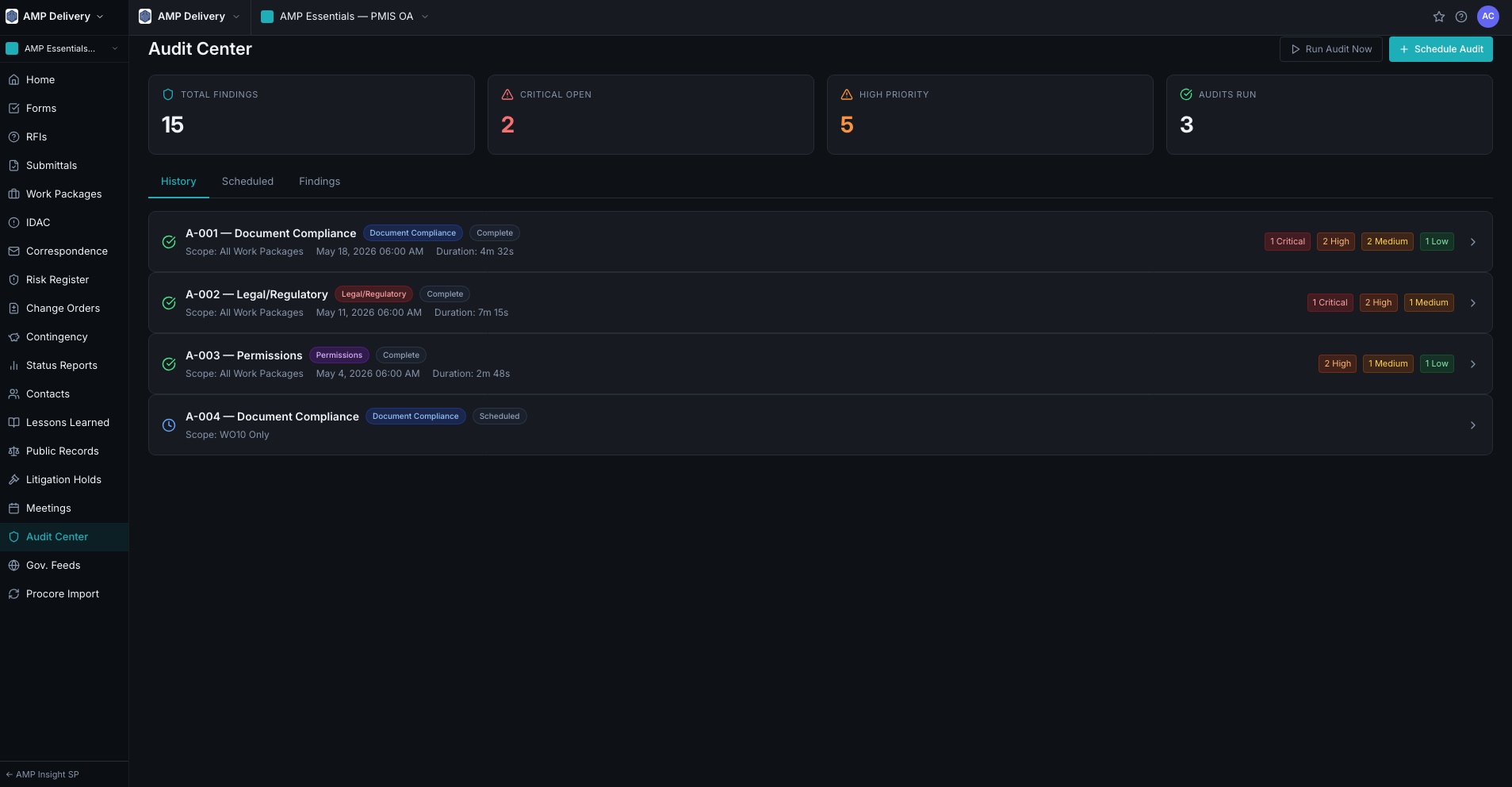
All product visuals use representative data. AMP does not publish client deployment screenshots or agency data without written approval.
AMP PMIS Essentials — Owner-Side PMIS
The PMIS built for the program owner.
AMP PMIS Essentials gives public utility capital programs structured owner-side controls — RFIs, submittals, change orders, cost events, risk, compliance, and CMMS-ready closeout — in a single Microsoft-native environment.
Representative interface — configured to each agency's delivery methods, governance model, and reporting requirements.
Core Project Controls
Every control the owner needs — none of the contractor overhead.
Most construction platforms were optimized around contractor workflows or general project administration — not owner governance. AMP PMIS Essentials puts every project control in the owner's hands: logged, structured, and audit-ready from day one.
RFI Log
Owner-tracked RFIs with response due dates, aging alerts, and contractor accountability. Every overdue item surfaced automatically.
Submittal Tracker
Scheduled vs. actual review dates, approval routing, and revision tracking — owned by the program office, not the contractor.
Change Orders
Approved vs. pending cost exposure tracked in real time. Contingency burn-down visible at the project and program level.
Cost Event Log
Differing site conditions and emerging cost events captured before disputes form. Tied to schedule and contract baseline.
Document Library
Version-controlled document management with RFI-to-drawing linkage, submittal-to-approval traceability, and contractor portal access.
PM InfoHub
The project manager's single dashboard: active projects, open items, budget exposure, schedule flags, and risk status — without opening a single spreadsheet.
Risk Register
Structured risk register with probability, impact, ownership, and mitigation tracking. Escalation workflows automated from threshold triggers.
Reports Hub
Owner-side program reports generated from live data — board briefings, PMO status updates, council presentations, and federal compliance summaries.
Owner
Controlled — not contractor-managed
Real-time
Cost exposure — no monthly reconciliation
Audit-ready
Every item logged, timestamped, traceable
Zero
Manual spreadsheet consolidation required
Delivery Method Support
GC/CM. PDB. DBB. OTS. Each method has its own controls.
Capital programs run on multiple delivery methods simultaneously. AMP PMIS Essentials adapts its workflows, milestones, and document structures to each delivery method — so every project uses the right controls from day one.
GC/CM (General Contractor / Construction Manager)
Pre-construction phase management, GMP establishment and reconciliation, contingency controls, and owner-side subcontractor oversight — structured for the GC/CM relationship.
Pre-con milestones and deliverable tracking
GMP change management
Owner contingency burn-down
Progressive Design-Build (PDB)
Progressive design-build has unique owner governance needs — proposal evaluation, design review phases, and price confirmation. AMP PMIS Essentials has purpose-built PDB workflows.
Proposal and design phase milestones
Price confirmation controls
Design review and approval tracking
Capital Projects
Decision: Which delivery method applies to each project, and what controls does that trigger?
Programs without structured risk capture are routinely surprised by differing site conditions and scope growth that was predictable. AMP PMIS Essentials captures, tracks, and escalates risk through structured workflows — not after-the-fact emails.
Risk Register
Risks captured with probability, impact, mitigation action, and ownership. Scoring drives automatic escalation to the program director before exposure becomes a dispute.
Probability × impact matrix
Mitigation action tracking
Escalation threshold automation
Compliance Register
Regulatory obligations, permit conditions, and contract compliance requirements — tracked with due dates, ownership, and documentation. Nothing falls through without an alert.
Permit condition tracking
Due date alerts and ownership
Compliance documentation index
Federal Funding Compliance
IIJA, SRF, ARPA, and Davis-Bacon documentation organized by project and reimbursement request — ready for audit without manual reconstruction.
Funding source attribution per contract
Davis-Bacon record organization
Reimbursement request packaging
Permits Tracker
Active permits tracked across the capital portfolio — issue dates, expiration, conditions, and responsible parties. No expired permits discovered mid-construction.
Portfolio-wide permit index
Expiration and condition alerts
Permit-to-project linkage
Project Closeout & CMMS Handoff
Capital investment that actually reaches operations.
Poor closeout quality means capital investment becomes stranded value. AMP PMIS Essentials enforces structured closeout throughout construction — so assets enter operations with complete records, warranty dates, and condition baselines, not a box of PDFs.
Structured Closeout Workflow
Punch list completion, O&M manual collection, as-built acceptance, and warranty registration — all enforced through a structured checklist before project closure is permitted.
CMMS-Ready Asset Data
Asset data collected from approved submittals throughout construction — not entered manually after the fact. CMMS records pre-populated. Warranty dates auto-tracked. Zero manual re-entry required at project close.
Closeout Package
Complete closeout documentation package — as-builts, warranties, O&M manuals, training records, and final inspection sign-off — packaged and linked to the asset record.
Closeout & Audit
Decision: Is this project eligible to close, and are all asset records ready for CMMS handoff?
Deployment & Architecture
Microsoft 365 foundation. Azure-scale PMIS.
AMP PMIS Essentials is the Microsoft 365-based PMIS path. AMP PMIS Pro is the React/Azure platform that can stand alone or ingest structured delivery data from Essentials and compatible project sites.
AMP PMIS Essentials
Microsoft 365-based PMIS using SharePoint Online, PnP provisioning, Power Automate, Power BI, pages, lists, permissions, workflows, and delivery templates.
Agency-trusted Microsoft 365 environment
GC/CM, PDB, DBB, and owner-side delivery templates
Structured data model designed for program rollup
AMP PMIS Pro
React/Azure owner-side PMIS platform with native records, Delivery Controls, Risk Dashboard, PM InfoHub, Reports Hub, and optional AI-ready workflows.
Can stand alone as the full PMIS
Can ingest Essentials or compatible project site data
Azure-hosted with Microsoft Entra authentication
30–60
Day typical implementation timeline
M365
Native — works with your existing Microsoft investment
Zero
New IT infrastructure required
Pilot
Available — one program, defined term
The Expansion Path
Start with PMIS. Expand into infrastructure intelligence.
AMP PMIS Essentials is the entry point into the AMP platform. As your program matures, AMP Insight extends PMIS data into capital portfolio intelligence, asset risk scoring, operations management, and executive governance.
Stage
Owner Pain
AMP Product
Project Chaos
RFIs in email, submittals in folders, change orders in spreadsheets, no owner record
AMP PMIS Essentials
Program Blindness
Portfolio risk, cost exposure, and schedule variance not visible until board meetings
All previews use representative sample data. AMP does not publish client deployment screens, agency records, or production configurations without written approval. Technical architecture, integration specifications, and security documentation are available under NDA to qualified agencies and procurement teams.